
For anesthesia groups
The office work behind every provider, in one place
Onboarding, credential records, payer forms, contracts, pay and reimbursements. Your office stops chasing paper and spreadsheets, and your providers do their part from their phone.
What your office gets back
Six jobs most groups run on email, shared drives and spreadsheets, done in one app that your admins, HR, credentialing staff and providers all use.
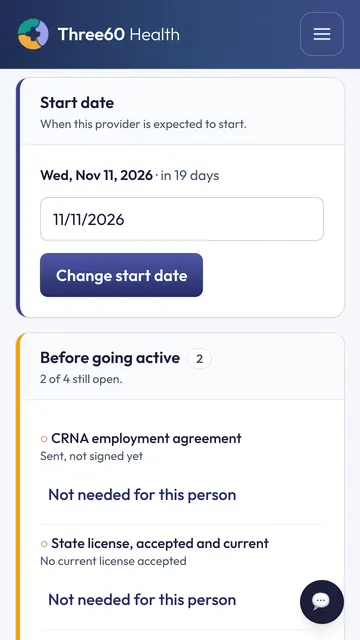
Onboarding new providers
Every new CRNA, physician or AA gets a start date, a packet and a clear list of what is still open.
- Send your standard packet of forms and uploads in a few clicks, chosen for the person's role.
- Providers fill it in from their phone or computer. Answers they give once are carried to the next form.
- A go-live list shows what is left. Nobody is marked active with an item still open, unless an admin or HR manager records why.
- Your office is told when a provider uploads or signs something, so nothing sits unseen.
Credential records and expirations
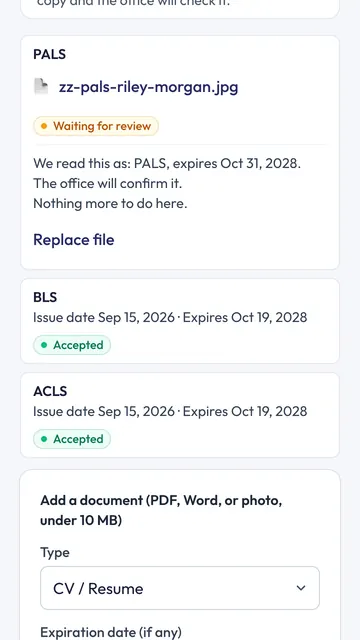
Licenses, DEA, board certification, BLS, ACLS, PALS, malpractice and the rest, on one record per provider.
- Providers upload a photo or a file. The app reads the dates and numbers, and your office confirms them.
- Reminders go out before anything expires, to the provider and to your office.
- Send a provider's documents to a hospital's credentialing office as a secure link that shows when it was opened.
- Records only: verification at the source stays with your credentialing office.
Payer and enrollment forms
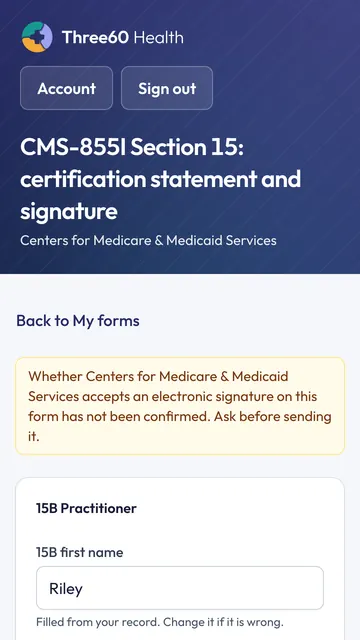
The forms you fill out for every new provider, filled from what you already have on file.
- Fields come from the provider's record and earlier forms, so nobody types the same answer twice.
- Providers sign in the app. Each form says whether the payer's acceptance of an electronic signature has been confirmed, so you know before you send it.
- Finished forms are filed on the provider's record, with sensitive numbers masked.
Contracts, reviewed and signed
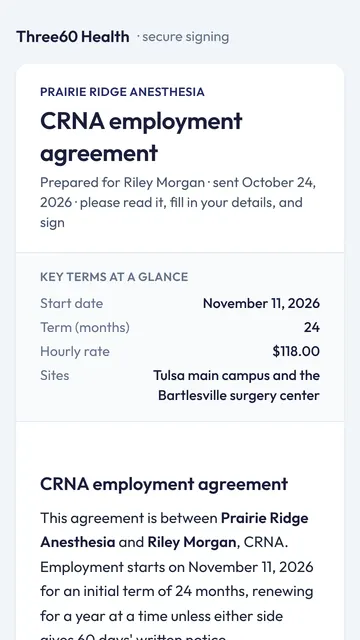
Pick the right template, check the values, then send it. The provider signs first and your group countersigns.
- Templates say who they are usually for, and values fill in from the provider's record and pay.
- Every contract is reviewed before it goes out. What was sent is exactly what was reviewed.
- Upload a contract signed elsewhere and the app suggests its terms; an admin confirms each one before anything is recorded.
Pay tracking
Each provider's own pay template, their hours, and a pay file your payroll can use.
- Pay templates per provider and site, matched from your roster or a signed contract, confirmed by an admin.
- Hours become pay batches. A shift with no pay rule is named and stopped, never guessed.
- If your group invoices outside the app, it tracks pay only and never shows a bill figure.
- Admins see everything; HR sees the pay side only.
Reimbursements, expenses and CE
Yearly allowances by role, receipts required, approved by your admins and HR.
- Providers claim professional expenses with a receipt, against what is left in their allowance for the year.
- Warnings for a repeated receipt or a late claim are shown before a claim goes in, and kept on it.
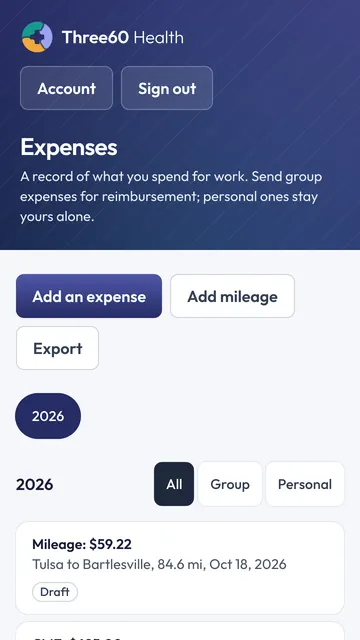
- Each provider keeps an expense and mileage log and a continuing education log, with certificates.
From offer letter to first day
- 1
Add the provider
Name, role and start date. Their packet goes out with a sign-in link.
- 2
They do their part
Forms, uploads and signatures from their phone. You see each one arrive.
- 3
Your office confirms
Credentials read and confirmed, privileges recorded, the contract countersigned.
- 4
Ready on day one
The go-live list is clear, their pay template is set, and they are marked active.
Built for the people who sign off
Provider records are personal. Here is how the app looks after them.
- Two-factor sign-in for the office
- Admins, HR and credentialing staff sign in with a code from an authenticator app.
- Each role sees its own part
- HR sees pay but not bill rates. Providers see only their own records. Facilities never see provider documents.
- Sensitive numbers sealed
- Social Security numbers and dates of birth are encrypted, masked everywhere, and revealed only to the office roles that need them, with a log of who looked.
- Every change recorded
- Sensitive actions are written to an audit log with who did it and when.
- Your group's data kept apart
- Each organization's records are separated in the database itself, not just on the screen.
- No patient information
- The app keeps provider and operations records only. It is not a clinical system.
What it doesn't do: it doesn't verify credentials with the issuing boards, it doesn't store patient information, and the terms it reads from a contract are suggestions your admin confirms, not legal advice.
Questions groups ask
- Does Three60 Health verify credentials with the licensing boards?
- No. Three60 Health keeps the records: what each document says, when it expires, and what is still missing. Verification at the source stays with your credentialing office through its own process.
- Do we have to use the scheduling part?
- No. Onboarding, credential records, forms, contracts, pay tracking and reimbursements work on their own. Scheduling can be added later, or never.
- What do our providers need?
- A phone or a computer and an email address. They sign in with an emailed link or a password and do their part in the browser.
- Can you load our current providers?
- Yes. Your roster comes in from a spreadsheet, and their existing documents can be uploaded for them, with your office confirming what was read.
See it with your own group in mind
Half an hour, on a call, with the person who builds it. Bring the questions your office asks every week.